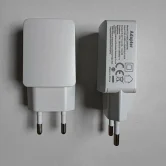

What to Know Before Buying a PAX A920 Power Supply


A reliable power supply is essential for keeping your payment terminal ready for everyday transactions. Whether you operate a retail shop, restaurant, mobile business, or service counter, choosing the correct PAX A920 Power Supply helps maintain consistent charging and supports the smooth operation of your payment device.
Before purchasing a replacement charger or battery, it is important to understand compatibility, charging requirements, connector types, and the differences between the PAX A920 and PAX A920 Pro. Selecting the right accessory can help prevent charging problems, reduce unnecessary replacements, and keep your payment terminal available when customers need it.
In this guide, we explain what to consider before buying a power supply, how battery condition affects performance, and which questions to ask before placing your order.
1. Check Compatibility with Your PAX A920 Terminal
The first step is to confirm that the power supply is compatible with your exact payment terminal model. Although different PAX devices may look similar, their charging requirements, connectors, and supported accessories can vary.
When shopping for a PAX A920 Power Supply, check the following details:
- Device model: Confirm whether you own a PAX A920 or PAX A920 Pro.
- Connector type: Ensure the charging connector matches the terminal’s requirements.
- Electrical specifications: Check the voltage, current, and polarity against the manufacturer’s specifications.
- Product description: Look for clear confirmation that the accessory supports your particular model.
- Supplier guidance: Ask the seller to confirm compatibility if the listing is unclear.
Avoid purchasing a charger simply because it fits physically. An accessory that does not meet the terminal’s electrical requirements may cause charging issues or damage the equipment.
2. Understand the Importance of a Reliable Power Supply
A payment terminal needs dependable power to support daily transactions. If the charger is unsuitable, damaged, or inconsistent, the device may charge slowly, lose power unexpectedly, or fail to charge altogether.
A suitable PAX A920 Power Supply can help you maintain a consistent charging routine and reduce interruptions during busy trading periods.
Consider your working environment before choosing a replacement. A fixed checkout counter may need a dependable charger for regular charging between transactions, while a mobile business may benefit from carrying a compatible spare for backup.
For the best results, use an approved or manufacturer-compatible power supply and follow the charging instructions provided for your device.
3. PAX A920 Battery: What Should You Know?
The battery plays a major role in the performance of a portable payment terminal. A healthy PAX A920 Battery helps your device operate away from a fixed power source, making it suitable for table-side payments, deliveries, and mobile transactions.
Over time, rechargeable batteries can lose capacity. You may notice that your terminal needs charging more frequently or that the battery percentage drops faster than expected.
Before buying a replacement battery, consider these factors:
- Model compatibility: Check that the battery is designed for the original PAX A920 rather than another terminal in the same product family.
- Capacity: Compare the replacement battery’s rated capacity with the specification required by your device.
- Battery condition: For new or replacement stock, check the product condition and any available warranty.
- Installation: Follow the device manufacturer’s battery replacement instructions.
- Safety: Avoid damaged, swollen, leaking, or unverified batteries.
If your terminal frequently runs out of power despite using a suitable charger, the battery may need attention. However, inspect the charging cable, adapter, and port before concluding that the battery is faulty.
4. PAX A920 Pro Battery: Check Before Ordering
The PAX A920 Pro is a related but distinct payment terminal, so it is important not to assume that every accessory is interchangeable.
When purchasing a PAX A920 Pro Battery, verify the precise model and battery reference. Official documentation identifies a 5,150mAh battery for a documented A920 Pro configuration, while the original A920 documentation lists a 5,250mAh battery. These differences demonstrate why checking the exact device specification matters. 【turn314126search15】【turn314126search16】
Before placing your order, compare the battery reference, voltage, physical dimensions, and connector arrangement with the original battery or the manufacturer’s documentation. Similar capacity figures alone do not guarantee compatibility.
The same principle applies to power supplies. The documented A920 Pro configuration uses a USB Type-C charging connection, while the original A920 uses a different charging arrangement. Always check the exact model and approved accessories before buying. 【turn314126search0】【turn314126search12】
5. Choose a Trusted Supplier
A reliable supplier can help you identify the correct accessory and reduce the risk of purchasing an unsuitable replacement. When comparing sellers, look beyond the headline price.
Check whether the product listing includes:
- A clear model number and compatibility details.
- Accurate electrical specifications.
- Information about the product’s condition.
- A clear returns policy and warranty information.
- Support for questions about installation and compatibility.
Wireless Terminal Solutions can help customers understand payment terminal accessory requirements and identify the details to check before ordering.
If you are unsure which charger or battery your terminal needs, ask for confirmation before purchasing. This simple step can save time and help avoid ordering the wrong component.
6. Tips for Maintaining Your PAX A920 Power Supply
Proper care can help keep your charging equipment in good condition. Follow these practical recommendations to support reliable charging and reduce avoidable wear.
Keep connectors clean and dry. Dust, moisture, and debris around the charging port can interfere with the connection. Disconnect the power source before inspecting or cleaning the equipment, and follow the manufacturer’s cleaning instructions.
Avoid pulling the cable. Disconnect the charger by holding the plug rather than pulling on the cable. This reduces stress on the connector and wiring.
Use a suitable power outlet. Keep the adapter away from excessive heat, moisture, and areas where cables could be crushed or tripped over.
Monitor charging performance. If the terminal repeatedly fails to charge, becomes unusually hot, or displays signs of electrical damage, stop using the equipment and seek qualified assistance.
Follow the manufacturer’s instructions. Do not modify the charger, force an incompatible connector into the device, or attempt repairs that require specialist knowledge.
These precautions can help protect your payment terminal and its accessories while supporting a consistent charging routine.
7. Common Mistakes to Avoid When Buying a Replacement
Buying the cheapest available accessory may seem convenient, but an unsuitable product can create unnecessary problems. Avoid these common mistakes when choosing a PAX A920 Power Supply or replacement battery.
- Ignoring the model number: Always confirm whether the terminal is an A920 or A920 Pro.
- Choosing by appearance: Similar-looking chargers and batteries may have different electrical specifications.
- Overlooking voltage and current: Check the manufacturer’s requirements rather than assuming that any USB charger will work.
- Skipping warranty information: Understand the seller’s returns and warranty terms before ordering.
- Ignoring charging symptoms: Frequent power loss may indicate a battery issue, a faulty cable, or a damaged charging port.
Taking a few minutes to check these details can help you select a suitable accessory and avoid preventable compatibility issues.
Frequently Asked Questions
1. How do I choose the correct PAX A920 Power Supply?
Check your terminal’s exact model, connector type, voltage, and current requirements. Choose an approved compatible adapter and confirm the specifications before purchasing.
2. Can I use a PAX A920 charger with a PAX A920 Pro?
Do not assume that they are interchangeable. The original A920 and A920 Pro have different documented charging connections. Check the specific model and approved accessory requirements before use. 【turn314126search0】【turn314126search12】
3. When should I replace my PAX A920 Battery?
Consider replacement if the terminal’s battery life has noticeably decreased, the device shuts down unexpectedly, or the battery no longer holds a charge. Rule out charger and cable problems first.
4. Is the PAX A920 Pro Battery the same as the original A920 battery?
Not necessarily. The documented models have different battery specifications. Verify the exact battery reference and electrical requirements rather than relying on similar capacity ratings. 【turn314126search15】【turn314126search16】
5. How can I maintain my payment terminal’s power supply?
Keep the charger and connectors dry, avoid bending cables sharply, use compatible equipment, and store accessories away from excessive heat. Stop using damaged charging equipment.
6. What should I check before ordering a replacement charger?
Confirm the terminal model, connector, electrical specifications, product condition, warranty, and return policy. Contact the supplier if any compatibility information is unclear.
Conclusion
Choosing the right PAX A920 Power Supply involves more than finding a charger that fits. You should verify model compatibility, electrical specifications, connector type, and supplier reliability before purchasing. If you need a replacement battery, remember that the PAX A920 Battery and PAX A920 Pro Battery may have different requirements.
By checking these details and following appropriate charging practices, you can make a more informed purchasing decision and help keep your payment terminal ready for daily transactions.
Need help choosing the right power supply or battery? Call us on 0345 459 9984 for assistance with your payment terminal accessory requirements.