
Virtual Terminal Setup Guide for Small Businesses

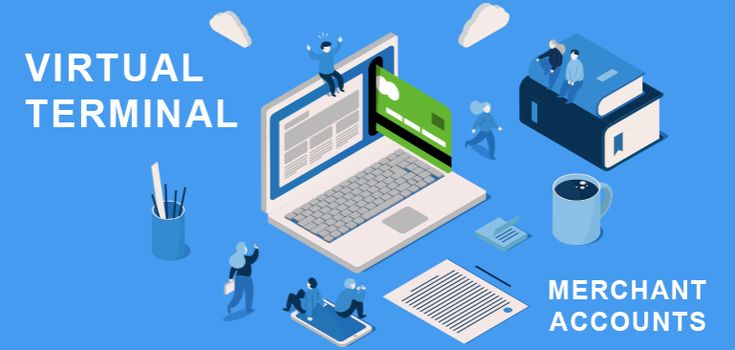
As more small businesses move toward flexible and remote ways of accepting payments, the virtual terminal has become an essential tool. Whether you run a service-based company, manage phone orders, or need a simple way to process card-not-present transactions, virtual terminals offer a practical solution without requiring complex hardware.
This guide explains what virtual terminals are, how they work, and how small businesses can set them up effectively. By the end, you will understand the steps involved, common requirements, security considerations, and best practices to ensure smooth payment processing.
What Is a Virtual Terminal?
A virtual terminal is a web-based payment processing system that allows businesses to manually enter card details into a secure online interface. Instead of swiping a card through a physical card machine, you enter the customer’s payment information through a browser on a computer, tablet, or smartphone.
Virtual terminals are often used for:
- Phone orders
- Mail orders
- Remote billing
- Service-based transactions
- Recurring payments
Unlike traditional card machines, virtual terminals do not require specialized hardware. All you need is an internet connection and access to your payment processor’s secure portal.
Why Small Businesses Use Virtual Terminals
Small businesses choose virtual terminals because they offer flexibility and lower barriers to entry. Here are some common advantages:
- Lower Equipment Costs
There is no need to purchase or maintain physical card machines. This reduces upfront investment.
- Remote Payment Acceptance
You can accept payments from anywhere, making virtual terminals ideal for businesses that operate outside a physical storefront.
- Simple Setup
Most providers offer straightforward onboarding and intuitive dashboards.
- Centralized Payment Management
Virtual terminals often integrate with reporting and accounting tools, making tracking and reconciliation easier.
What You Need Before Setting Up a Virtual Terminal
Before beginning the setup process, make sure you have the following:
- A registered business entity
- Business bank account details
- Basic business information (address, contact details, tax ID)
- Reliable internet connection
- Computer or mobile device
- Email address for account access
Some providers may also request information about your average transaction size and monthly volume to assess risk and compliance.
Step 1: Choose a Payment Service Provider
The first step in setting up virtual terminals is selecting a payment service provider that offers this functionality. Look for a provider that supports:
- Secure virtual terminal access
- PCI-compliant systems
- Transparent pricing
- Reliable customer support
- Integration with other business tools
While many businesses already use card machines, it is worth confirming that your current provider also offers virtual terminals. In many cases, both services can be managed under one account.
Step 2: Create Your Merchant Account
Once you choose a provider, you will need to open a merchant account or activate virtual terminal functionality on your existing account.
This process typically involves:
- Completing an online application
- Submitting business verification documents
- Agreeing to terms and conditions
Approval times vary. Some providers offer same-day activation, while others may take a few business days.
Step 3: Access the Virtual Terminal Dashboard
After approval, you will receive login credentials to access your virtual terminal dashboard.
From here, you can:
- Enter card details manually
- Process refunds
- View transaction history
- Generate reports
Most dashboards are browser-based, so no additional software installation is required.
Step 4: Configure Basic Settings
Before accepting payments, review and configure your settings:
Business Profile
Confirm your business name, address, and contact details appear correctly on receipts.
User Permissions
If multiple staff members will use the virtual terminal, set user roles and access levels.
Receipt Options
Choose whether customers receive receipts via email, SMS, or both.
Currency and Tax Settings
Ensure currency and tax configurations match your location and business model.
Step 5: Test Your Virtual Terminal
Testing helps ensure everything works correctly before going live.
Run a small test transaction using a test card or a low-value real transaction. Confirm:
- Payment processes successfully
- Receipts are generated
- Transaction appears in reporting
If issues arise, contact your provider’s support team for assistance.
Step 6: Train Your Staff
Even though virtual terminals are user-friendly, training is essential.
Staff should know:
- How to enter card details correctly
- How to verify customer identity when taking phone orders
- How to process refunds
- How to recognize suspicious activity
Clear procedures help reduce errors and improve customer experience.
Security Best Practices for Virtual Terminals
Because virtual terminals handle sensitive data, security must be a top priority.
Use Strong Passwords
Create unique passwords and update them regularly.
Enable Two-Factor Authentication
If available, enable two-factor authentication for added protection.
Never Store Card Details
Do not write down or save customer card numbers outside the secure system.
Maintain PCI Compliance
Ensure your business follows PCI DSS requirements, which are designed to protect cardholder data.
Secure Your Network
Use antivirus software, firewalls, and secure Wi-Fi connections.
Virtual Terminals vs Card Machines
Both virtual terminals and card machines play important roles in payment processing.
Virtual Terminals
- Best for remote or card-not-present transactions
- No hardware required
- Ideal for phone and online orders
Card Machines
- Best for in-person payments
- Faster for high-volume face-to-face transactions
- Often support contactless and chip-and-pin
Many small businesses use both to cover different payment scenarios.
Common Use Cases for Small Businesses
Virtual terminals are especially helpful in the following industries:
- Professional services
- Healthcare practices
- Education and training providers
- Home repair and maintenance
- Subscription-based businesses
Any business that regularly accepts payments without face-to-face interaction can benefit from virtual terminals.
Troubleshooting Common Issues
Payment Declined
Double-check card details and confirm sufficient funds.
Login Problems
Reset your password or contact support.
Slow Processing
Check your internet connection and system status.
Missing Transactions
Refresh the dashboard or review date filters.
Keeping a simple checklist can save time when issues occur.
Tips for Getting the Most from Virtual Terminals
- Review reports regularly to understand sales trends
- Set up email receipts for better customer communication
- Combine virtual terminals with accounting software when possible
- Keep staff training up to date
Small optimizations can lead to smoother operations.
Final Thoughts
Setting up a virtual terminal is a practical step for small businesses looking to expand their payment options without investing in additional hardware. Virtual terminals provide flexibility, convenience, and reliable access to card-not-present transactions, while still working alongside traditional card machines.
By choosing the right provider, configuring your settings carefully, and following security best practices, your business can use virtual terminals confidently and efficiently.